
To create a custom Insight window, users must extend the WindowBase class, and implement the draw method. Insight uses Unity’s ImGUI to draw controls, so any ImGUI functions will work here.
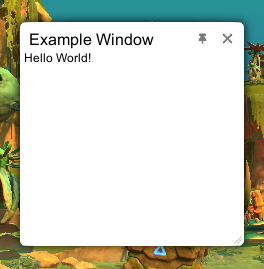
public class Example : MonoBehaviour
{
	public void Start()
	{
		Insight.AddMenuItem("Test/Hello World", this.SayHello);
	}

	private void SayHello()
	{
		ExampleWindow wnd = new ExampleWindow();
		wnd.Open();
	}
}


public class ExampleWindow : WindowBase
{
	protected override string GetTitle()
	{
		return "Example Window";
	}

	protected override void DrawContents()
	{
		GUILayout.Label("Hello World!", Styles.Label);
	}
}
Insight provides several control styles in the Styles class. Insight does not change the default GUI.skin.